
2026/09/01

See how your feedback is making an impact on our Milestones PM+, Data Quality Helper & Rollup Helper apps!
Our app users have a history of showing support for each other through Salesforce Trailhead, as well as sharing their ideas and feedback with us. We’re excited to share these feature updates that came directly from your ideas.
Using Milestones PM+ with Salesforce Dark Mode
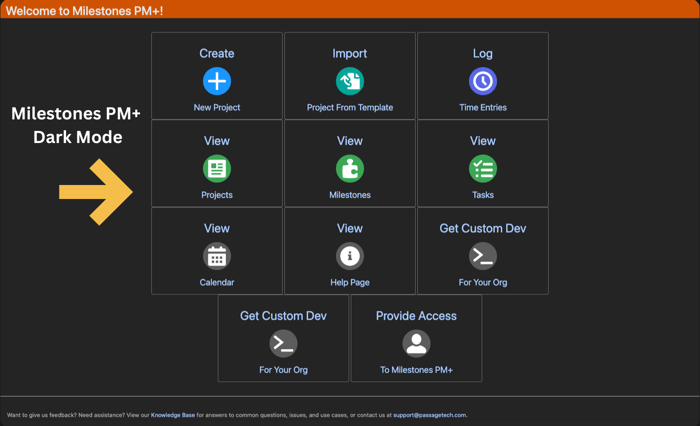
We received a question from a customer who was wondering if Milestones PM+ would work with Salesforce's new dark mode feature. The result is that we added a dark mode custom setting that changes the UI to be darker when the mode is enabled.
The following image shows our new "Color Theme" custom setting. You can change the color theme setting to "Dark" while using Salesforce's new Dark Mode feature so that all the Milestones PM+ pages use dark mode as well.
Data Quality Helper Enhancements: Ignore Validation Issues & Cleanup Rules
Thanks to some great customer feedback, we added the ability to Ignore Validation Issues for all owners (previously, ignoring a Validation Issue only ignored it for the ignoring User).
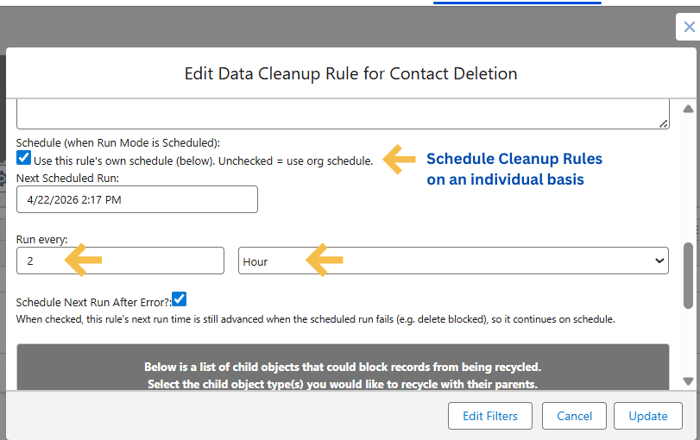
Another customer idea resulted in this new time-saving functionality. Now you have the ability to schedule Cleanup Rules on an individual basis, allowing some rules to run hourly, while others run daily, monthly, or yearly. Cleanup Rules can also be staggered to run one rule per hour, instead of all at once.
The image below shows how Cleanup Rules can be scheduled on an individual basis.
Rollup Helper Improvements From Your Ideas
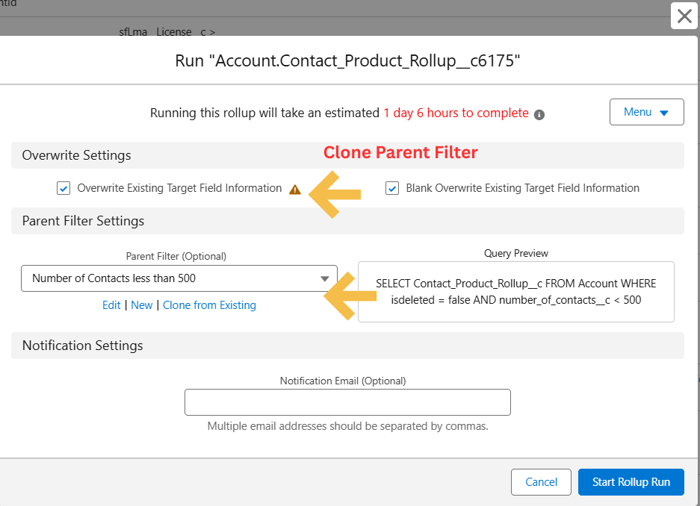
Cloning Rollup Helper Parent Filters
A customer noticed that there wasn’t an option when editing a parent filter or from the run page to clone a parent filter from an existing one. This observation led to us adding the ability for users to clone parent filters from the define filter, run, and schedule rollup pages. (See image below.)
Setting an Object Specific Record Scope from the Rollup Helper Health Check Page
Thanks to a customer bringing this up, you can now set object specific record scope from the Health Check page. Previously you needed to go through Setup, find the custom setting and object name, and then edit from there. And you can easily do this right from the health check page. (See image below.)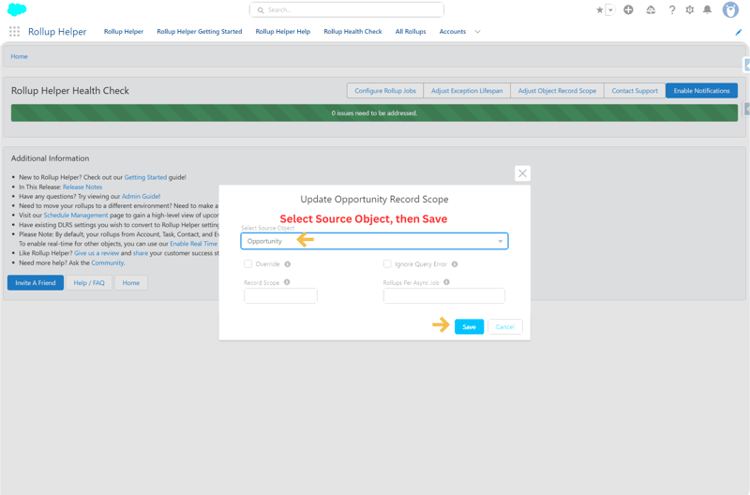
Can You Export Rollups by Group from the Export Page?
Now you can! After a customer suggested this usability improvement, we added the ability to export rollups by rollup group from the export page. So instead of having to export all of them, now users have more control over which rollups should be exported. Great idea! (See image below.) 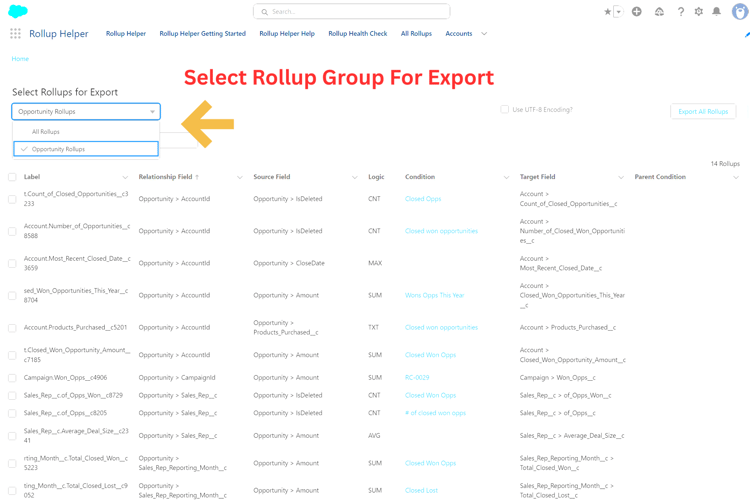
Your feedback helps us as we strive to provide the best experience, features, and functionality for you. Do you have an idea to share? Contact our Support team.
Learn more about our Milestones PM+, Data Quality Helper & Rollup Helper apps or schedule a demo.
| Keep Salesforce Projects on Track with the Work Breakdown Structure Approach | Passage Technology Blog |